
Matching and dispatch
Get the right provider onto the work
Dispatch is how a provider gets onto an assignment or shift. A scheduler assigns someone directly, or Fido offers the work to eligible providers in rounds until every slot is filled.
See how it works Common questions
- Organizations
- Providers
What you get
Matching and dispatch, in practice.
Who’s free, qualified and close by on Thursday at 2? Fido had a list before your coffee cooled.
Direct, broadcast or both
Hand-pick providers, broadcast to matches, or pre-assign some and let broadcast fill the rest.
An eligible pool
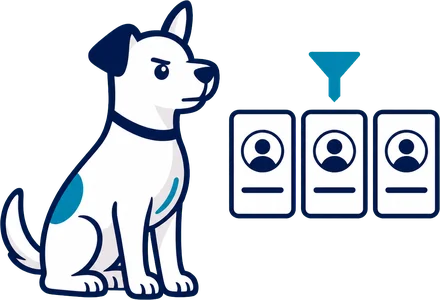
Fido builds the pool from service type, active status, location preference, availability, time off, limits and buffer time.
Preferred providers lead
Preferred providers are offered the work first. Tiered pools can fill by tier, such as employee, contractor, agency and Network.
Ordered by fit
Order the pool by availability, qualification match, skill level, proximity or cost.
Rounds that widen
Each round has a response window. If a round does not fill the work, Fido moves on to the next providers.
Answer from anywhere
Providers accept, express interest or decline in their portal, or from a no-login link in the offer email.
How it works
Follow it start to finish.
SampleA-2051 · ASL · Mercy Hospital · Thursday 2:00 PM
- 9:00 AMWhat you see: You publish A-2051 with broadcast on and Accept as the method.What Fido does: Fido builds the eligible pool from service type, active status, location preference, availability, time off, limits and buffer time.
- 9:00 AMWhat you see: Round 1 goes out to your preferred providers.What Fido does: Preferred providers are offered first, in the order you chose, such as qualification match or proximity. Anyone already booked is left out.
- Round 2What you see: The round's window closes with no accept.What Fido does: Each round has a response window. When one ends unfilled, Fido offers the work to the next providers.
- Round 2What you see: Jordan M. taps Accept in the offer email, without signing in.What Fido does: The offer showed when, where, the setting and travel. Full detail opens once Jordan accepts.
- FilledWhat you see: A-2051 moves to Scheduled.What Fido does: With auto-confirm on, the accept confirms itself. Otherwise the scheduler or the client confirms, per your setting.
From every seat
Every seat, a lighter day.
Common questions
Asked and answered.
How does a provider get onto a job?
A scheduler assigns someone directly, or Fido offers the work to eligible providers in rounds until every slot is filled. You can also pre-assign some providers and let broadcast fill the rest.
Who is eligible for an offer?
Fido builds the pool from service type, active status, location preference, availability, time off, limits and buffer time. Anyone already booked is left out.
Who is offered the work first?
Preferred providers go first. Providers restricted by the organization, client or consumer are left out of offers, and a scheduler can override a restriction.
What if nobody accepts a round?
Each round has a response window. When one ends unfilled, Fido offers the work to the next providers. Work that no round fills is marked Unfilled, and Needs Attention lists it for your team.
Who confirms an accepted provider?
You choose: auto-confirm, the scheduler or the client.
What do providers see in an offer?
Broadcast shows when, where, the setting and travel. Full detail follows once the provider accepts.
Do providers need to sign in to answer?
No. Providers accept, express interest or decline in their portal, or from a personal link in the offer email.
How does work from the Fido Network get offered?
Network providers are included when Network broadcast is on, and they are invited through a handshake.
More in Plan & Run Work
Keep exploring.
- Dashboard
- Schedule
- Assignments
- Recurring and multi-date work
- Shifts
- Requests
- Check-in and timesheets
- Cancellations and no-shows
- Forms
- Slot-based staffing
- Double-booking guard and location capacity
- Provider schedule
- Overtime alerts and controls
- Actual time and approval
- Offers and responses
- Dispatch rules
- Request by calendar invite
- Automations
- Service impact
- Offer fit and questions
- Assigned providers view
- Assignment summary PDF
- Client request form
- Team size by job length
- All of Plan & Run Work
See it with your own schedule.
Book a demo and we will walk through your own work in Fido.