
Fido Network
A shared pool of providers, joined by choice
The Fido Network is an opt-in pool of providers and consumers who choose to be found by more than one organization. The Network page under Solutions covers how it works in depth. This page covers what it adds to People & Accounts.
See how it works Common questions
- Organizations
- Providers
- Consumers
What you get
Fido Network, in practice.
Want more organizations to find you? Opt in once. Fido does the sniffing around.
One person, many organizations
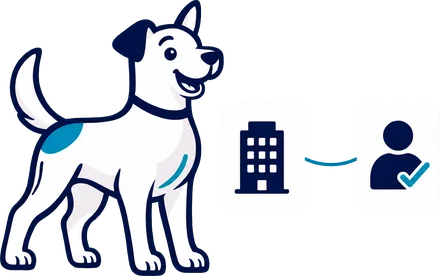
A network provider has one profile that can link to several organizations. Each organization keeps its own status, notes, rates and records for that person.
Found in the picker
Qualified network providers appear beside your own when you staff an assignment or shift. Choose one to start a handshake.
Broadcast to the Network
Turn on the Network in your broadcast settings to include network providers in broadcast rounds.
Network rates
Providers set the rates that organizations see first when they connect. Each organization then agrees its own rate in the handshake.
Provider's own Network portal
Network providers manage their profile, qualifications and Network rates, see the organizations they are linked to, and answer handshakes.
How it works
Follow it start to finish.
SampleAlex P. · Network provider · A-2051
- Round 1What you see: A scheduler opens the provider picker on A-2051 and sees Alex P. beside the organization's own providers.What Fido does: Qualified network providers appear in the picker for an assignment or shift.
- Round 1What you see: She chooses Alex, and an invite goes out.What Fido does: Fido sends the invite and records Alex's Network rates on the handshake.
- Day 2What you see: Alex reviews the work and the required documents, then expresses interest.What Fido does: The provider shares their profile. Each organization keeps its own status, notes, rates and records for the person.
- Day 2What you see: The scheduler sends an offer. Alex accepts the agreed rate.What Fido does: Either side can counter until the rate is agreed.
- Day 2What you see: She selects Confirm & Activate Provider.What Fido does: Alex joins the organization with the agreed rates, qualifications and documents, and can be assigned.
From every seat
Every seat, a lighter day.
Common questions
Asked and answered.
Does Fido provide the interpreters?
Fido is software. Each organization's own interpreters and data stay in its own account, and providers choose whether to join the Network.
How does a provider join the Network?
The provider turns on Share via Fido Network, or an organization turns it on for its own providers. Providers can also sign up on fetchfido.ai. A person on the Fido team reviews each sign-up, then Fido creates the account and emails a link to set a password.
How do I find Network providers when I staff work?
Qualified Network providers appear beside your own in the provider picker on an assignment or shift. Turn on the Network in your broadcast settings to include them in broadcast rounds.
What do other organizations see about a network provider?
They see the shared profile and Network rates. If the provider connects a calendar, other organizations see busy time only, with no titles, attendees or descriptions. Assignments, invoices and notes stay with each organization.
Can a provider leave the Network?
Yes. Turning Share via Fido Network off takes the profile out of other organizations' provider pickers. Organizations the provider already works with stay connected.
Does the Network cost extra?
Every plan includes the Fido Network, along with the four portals and every module. See Pricing.
Who sets rates for Network providers?
Providers set Network rates, and organizations see them first. Each organization then agrees its own rate with the provider in the handshake.
What can consumers share on the Network?
A consumer can let trusted service organizations that use Fido view their profile and preferences, in case those organizations support them later.
More in People & Accounts
Keep exploring.
See it with your own schedule.
Book a demo and we will walk through your own work in Fido.