
Notifications and reminders
The right message, by the right channel, at the right time
Fido tells people when something happens to their work: a request arrives, a job is confirmed, an invoice goes out, a shift is about to start. Admins set the defaults and each person chooses how they are notified.
See how it works Common questions
- Organizations
- Providers
- Clients
- Consumers
What you get
Notifications and reminders, in practice.
Three emails about one change? Fido sends the one that matters.
Three channels
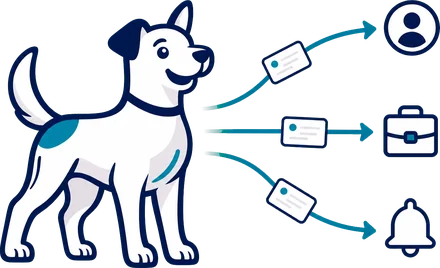
Every event can reach people in the app, by email or by text message.
Reminders before each job
Assigned providers get a reminder ahead of their own start time. You set the lead time, from 5 minutes to 7 days.
Daily and weekly summaries
Send summary emails to the roles you choose, at the time and on the weekday you pick.
Settings by event
Turn channels on or off for each event within Assignments, Shifts, Requests, Finance, Providers and other modules.
Your wording
Edit the subject and body of any notification template, preview it, and send yourself a test.
Escalation for unfilled work
Choose who is notified when a broadcast ends without a provider or a job is still unfilled close to its start.
Send a message on a job
Clients, consumers, providers and your staff can send a message about an assignment or shift to the people on it. It arrives by email, text and in-app notice as each person's settings allow.
Questions on finance documents
Staff can send a notification about an invoice, pro forma, payable or payment statement with its PDF attached, and clients can raise a question or dispute on an invoice from their portal.
How it works
Follow it start to finish.
SampleA-2051 · ASL · Mercy Hospital · Thursday 2:00 PM
- SetupWhat you see: An admin opens Notifications & Preferences and sets the reminder lead time.What Fido does: Lead time runs from 5 minutes to 7 days. Summaries go to the roles you choose, at the time and weekday you pick.
- MondayWhat you see: Mercy Hospital submits the request, and a scheduler gets an in-app notice and an email.What Fido does: Each event has a template. Channels, in-app, email or text, are switched on or off for each event.
- WednesdayWhat you see: Jordan M. is confirmed and receives the confirmation by email.What Fido does: Each person keeps their own email, text and in-app switches. Text goes out through your own Twilio number under Integrations.
- Before 2 PMWhat you see: Jordan M. gets a reminder ahead of the start time.What Fido does: Assigned providers get a reminder ahead of their own start, using the lead time you set.
- If unfilledWhat you see: A scheduler is told when work is still open close to its start.What Fido does: Escalation notifies the people you chose when a broadcast ends without a provider or a job is still unfilled close to start.
- AfterwardWhat you see: The scheduler checks what went out.What Fido does: Each send is recorded, including what a setting held back.
From every seat
Every seat, a lighter day.
Common questions
Asked and answered.
What does Fido notify people about?
Events such as a request arriving, a job being confirmed, an invoice going out or a shift about to start. Each event can reach people in the app, by email or by text.
Can one person turn off their own emails?
Yes. Each person has their own email, text and in-app switches, and emails carry an unsubscribe link.
Do text messages need setup?
Yes. Text messages go out through your own Twilio number, which you connect under Settings, then Integrations.
Do providers get reminders?
Yes. Each assigned provider gets a reminder ahead of their own start time. You set the lead time, from 5 minutes to 7 days.
Can staff get daily or weekly summaries?
Yes. Summary emails go to the roles you choose, at the time and weekday you pick.
What happens when work is still unfilled?
Escalation notifies the people you choose when a broadcast ends without a provider, or when a job is still unfilled close to its start.
Can I choose which events send which channels?
Yes. Turn in-app, email and text on or off for each event within Assignments, Shifts, Requests, Finance, Providers and other modules. You can also edit the wording of any template.
Can people message each other about a job?
Yes. Clients, consumers, providers and your staff can send a message about an assignment or shift to the people on it. It arrives by email, text and in-app notice as each person's settings allow.
Who sends our text messages and email?
Text messages go through your organization's own Twilio account, under your terms with Twilio. Email goes through Fido's Amazon SES until your organization sets up its own SMTP server.
More in Organization Settings
Keep exploring.
- Service setup
- Your services, your rates
- Role permissions
- Preferred and restricted providers
- Requirements and preferences
- History and logs
- Email templates
- Localization
- Documents and notes
- Notification center
- Message controls
- Work setup
- Organization locations
- Subscription and usage
- Data definitions
- Support contact
- All of Organization Settings
See it with your own schedule.
Book a demo and we will walk through your own work in Fido.